




Why Every Site Needs a Regular SEO Audit
Your site is the heart of your digital marketing. It might look fine on the surface, but small problems hide underneath. They quietly cost you traffic, leads and search rankings.
They're more common than you'd think:
- Only 67.2% of mobile pages have a meta description (HTTP Archive Web Almanac 2025).
- Only 66% of pages have an H1 heading that isn't empty (same report).
- Just 48% of mobile sites pass Google's speed and stability tests (Web Almanac 2025: Performance).
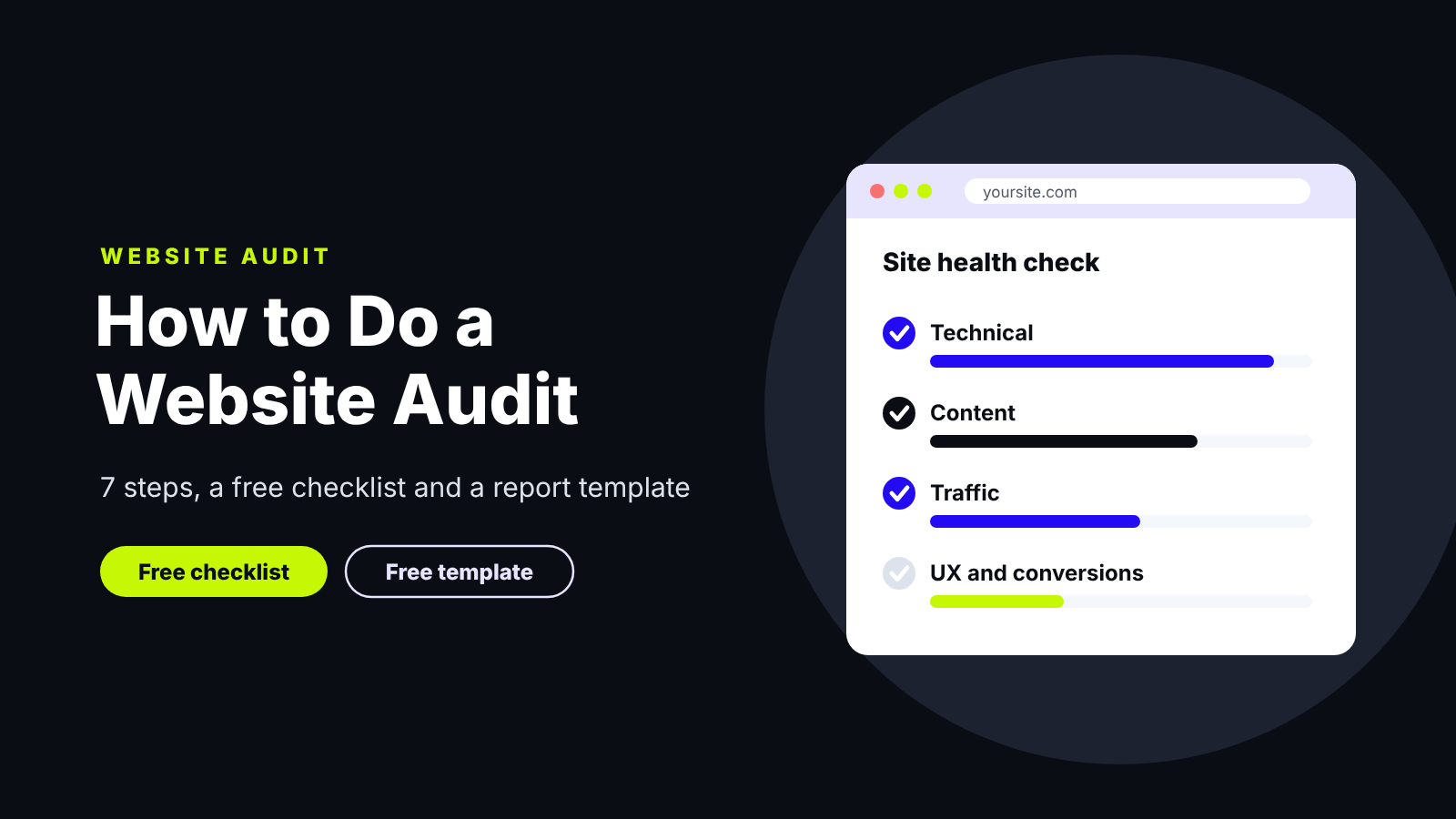
Regular audits find these problems before your visitors do. Below, we'll walk you through seven simple steps, plus a free checklist and a report template you can copy.
What Is a Website Audit?
It's a full health check of your whole site. It looks at how search engines crawl it, how fast it loads, how good the content is and how well it turns visitors into leads.
Website Audit vs. SEO Audit vs. Web SEO Audit
Why Run an Audit? (Benefits of SEO Audits)
- Find hidden problems before they cost you traffic.
- Focus your optimization budget on the fixes that matter most.
- Improve user experience, so visitors stay longer and sign up.
- Track SEO performance by comparing search engine rankings and traffic with your last check.
- Get ready for AI search. Clear, healthy pages are easier for AI tools to read and quote.
What Does a Website Audit Include?
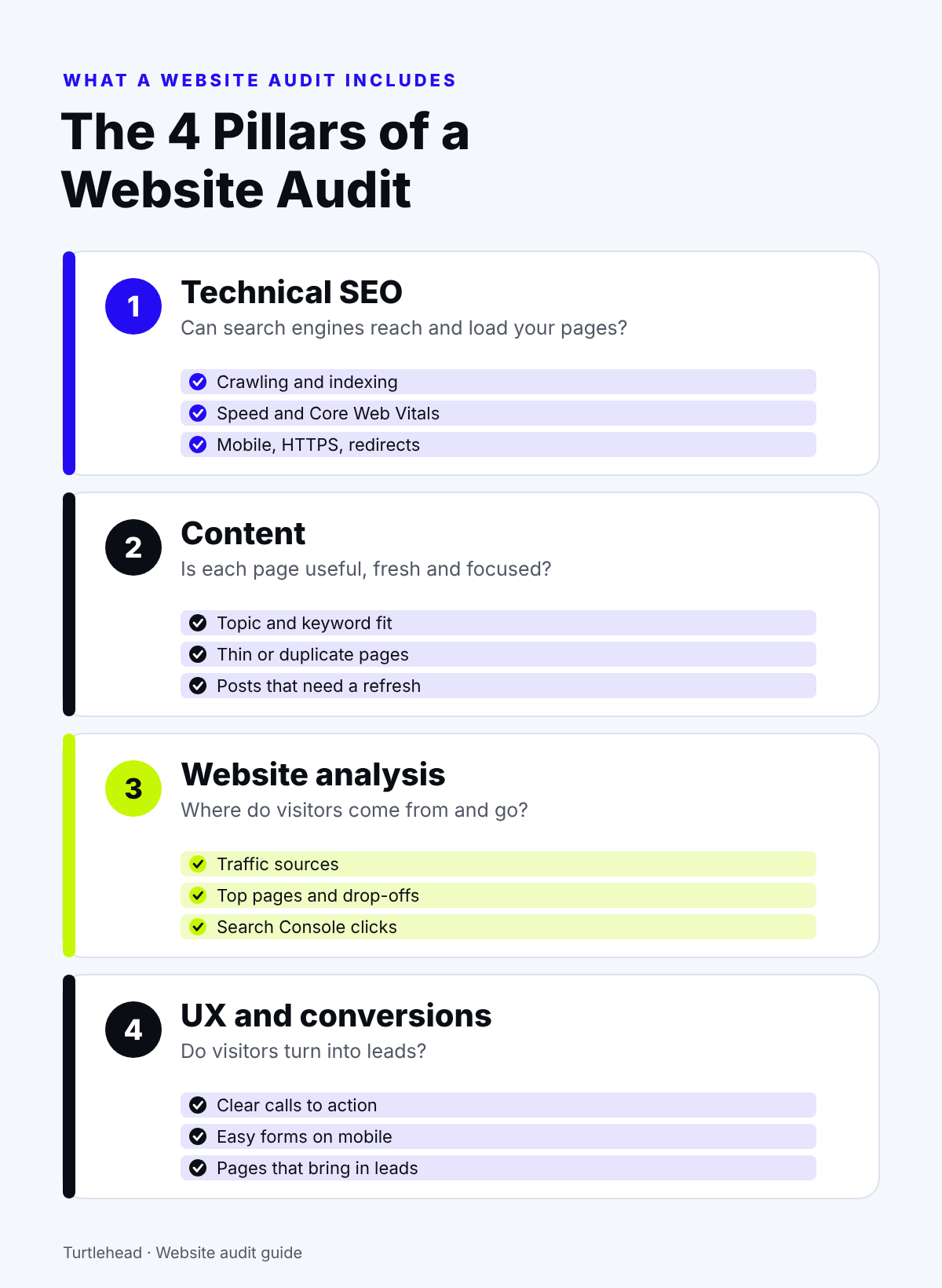
Most audits cover four pillars. Together, they show why a site does or doesn't grow.
Technical SEO Audits
This checks crawling, indexing, speed, mobile use, HTTPS and redirects. If search engines can't reach a page, it has no ranking at all. For a deeper look, see our guide to technical SEO audit services.
SEO Content Audit
This reviews your website content page by page. It checks each topic, keyword and date, plus overall content quality. You'll find thin pages, duplicate content and posts that need a refresh. Turtlehead's audit and refresh service covers this part for B2B SaaS teams.
Website Analysis: Traffic, UX and Conversions
This looks at how people use the site. Check where traffic comes from, each page's bounce rate and which pages bring in leads. High bounce rates on key pages often point to slow or confusing content. Pick one key metric, like demo requests, to track for each page. Google Analytics shows these key metrics for free.
How to Do a Website Audit in 7 Steps
Work through these steps in order. Each one builds on the last.
Step 1: Crawl Your Site
Run a site crawler to list every URL, broken link and redirect. Ahrefs Free and Bing Webmaster Tools both include free site checks. Compare the pages it finds with your sitemap. A big gap often points to orphan pages or a robots.txt file that blocks them.
Step 2: Check Indexing
Open the Pages report in Google Search Console. Make sure your key pages show up in Google, and find out why others don't. Its Performance report also shows clicks and click-through rates.
Step 3: Test Speed and Core Web Vitals
Test your main templates for page speed on mobile and desktop. Slow load time hurts both visitors and website performance. Google recommends that main content loads within 2.5 seconds (Google's guide).
Step 4: Review On-Page SEO
Check titles, meta tags, headings, image alt text and internal links on your most important pages. Make sure each page targets one main keyword, so pages don't compete with each other. These small fixes help you optimize pages without a redesign.
Step 5: Audit Your Content
List all the pages on your site with their main keyword, traffic and leads. Then decide to keep, update, merge or remove each one.
Step 6: Check Backlinks
See who links to you, and look for broken links pointing at missing pages. Fix those with redirects. A few strong, relevant links beat many weak ones.
Step 7: Prioritize Fixes
Rank every issue by impact and effort. Start with quick wins on pages that already bring organic traffic. A simple rule: fix what keeps pages out of Google's index first, then site performance, then content.
Ecommerce SEO Site Audit Extra Checks
Online stores need a few more checks:
- Filter and sort pages that create endless duplicate URLs
- Out-of-stock and discontinued product pages
- Product schema for price, stock and reviews
- Duplicate product descriptions copied from suppliers
Website Audit Checklist (Free SEO Audit Checklist)
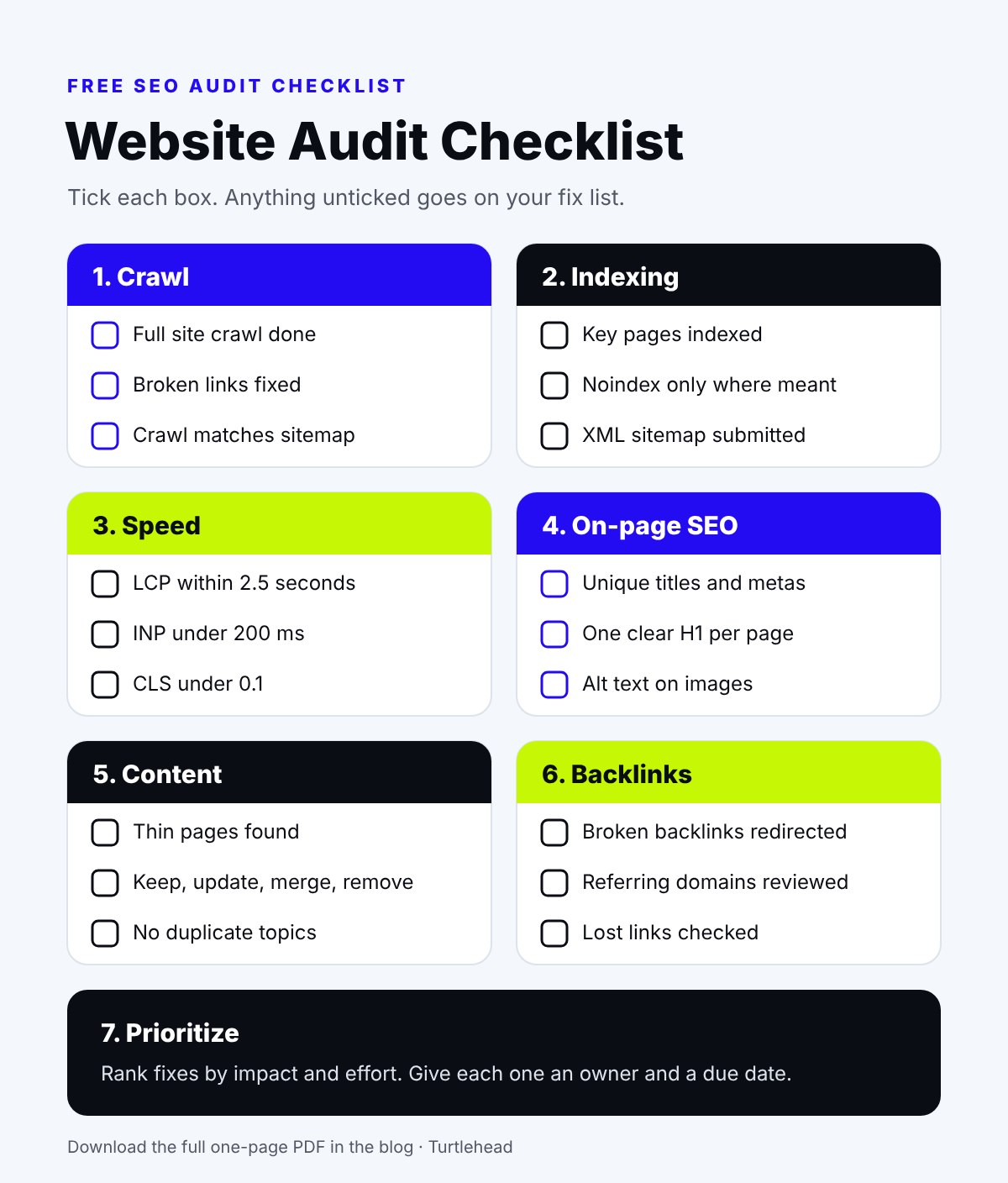
Keep this free website audit checklist for 2026 open while you work. Tick each item, and add anything unchecked to your fix list.
- Key pages appear in Google search results
- No broken links or redirect chains
- Main templates load fast on mobile
- Every page has a unique title, meta description and H1
- Thin or outdated pages are updated, merged or removed
- Every issue in your report has a priority and an owner
⬇ Download the Free Checklist (free PDF, 1 page)
Short on time? Download the checklist above, or talk to Turtlehead about an SEO and content review.
How to Build an SEO Audit Report
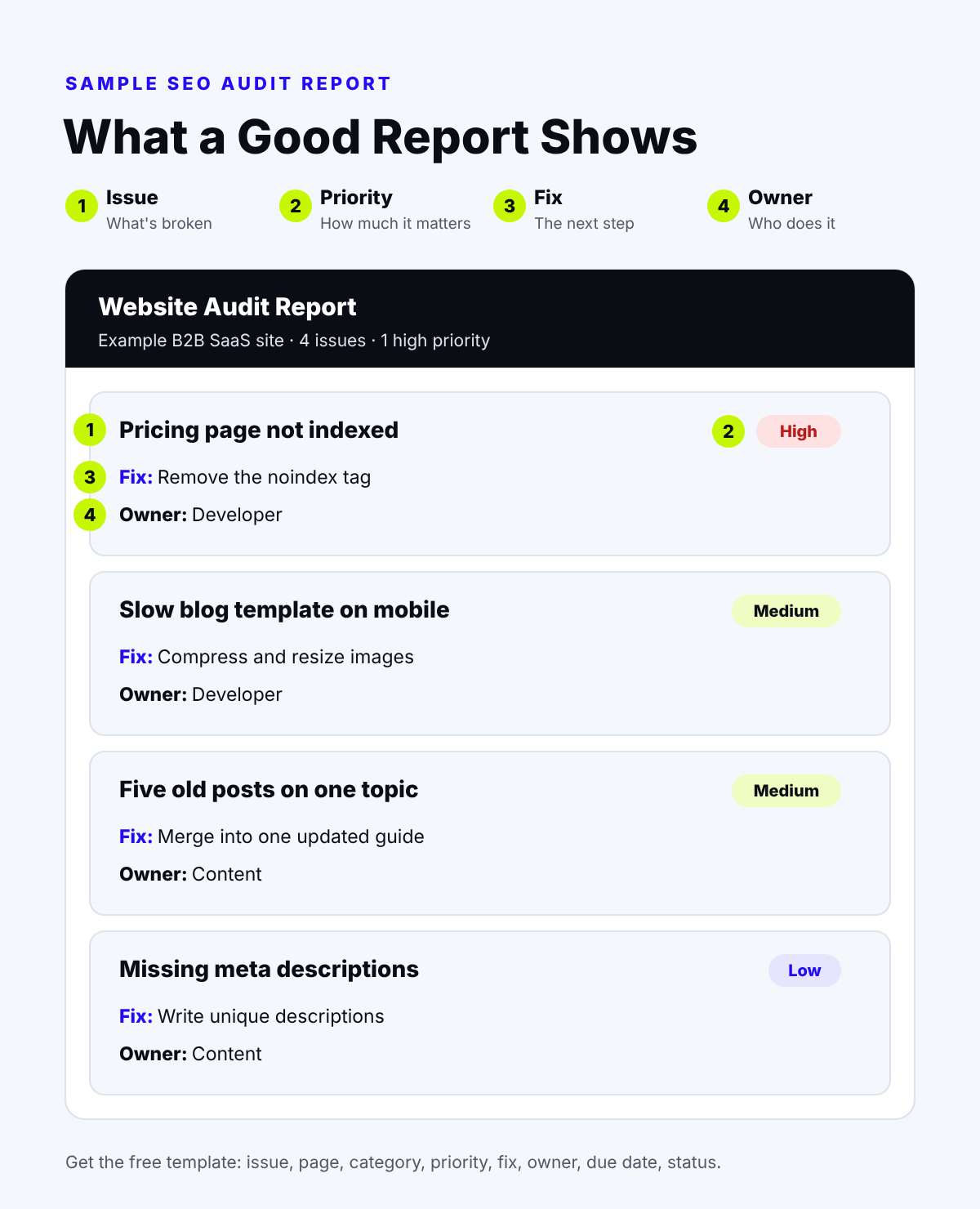
A good report turns findings into action. It should tell you what's wrong, how much it matters, how to fix it and who owns the fix. A short, ranked list of SEO issues is easier to act on than hundreds of raw errors.
SEO Audit Template and Website Audit Report Template
Our free template turns a complete SEO review into a simple spreadsheet. It has one row per issue, with columns for the issue, page, category, priority, fix, owner, due date and status.
⬇ Download the Report Template (free spreadsheet, works in Excel and Google Sheets)
Sample SEO Audit Report
Here's what a few rows might look like for a made-up B2B SaaS site:
Best SEO Audit Tool for Each Job
Here are the SEO audit tools we'd pick in 2026, sorted by job.
DIY Audit vs. Website Audit Service
If you have the time, start with a DIY audit. If you need answers fast, or the fixes keep slipping, bring in help.
Final Thoughts
A regular audit keeps your online presence healthy. It shows you what's holding your site back and what to fix first. Use the checklist, fill in the template, and repeat it as your site grows.
Want an expert eye on your site? Book a free consultation about Turtlehead's SEO and content services.
FAQs on Website Audit
What Is an SEO Audit?
An SEO audit shows what helps your site rank higher in search. It reviews your search engine optimization: technical health, on-page SEO, content and backlinks.
How Do I Start an Audit?
Start with Google Search Console and a site crawler. Then follow the seven steps above and log each issue in the template.
How Often Should You Audit Your Website?
Run a full audit once a year, and after any redesign or migration. Check Search Console monthly in between.
How Much Does a Site Audit Service Cost?
It depends on your site's size and how deep the review goes. In an Ahrefs survey of 439 SEO providers, the most common fee for an SEO project was $2,501 to $5,000.
How Long Does an SEO Audit Take?
A small site can take a day or two. A large site can take a few weeks.


